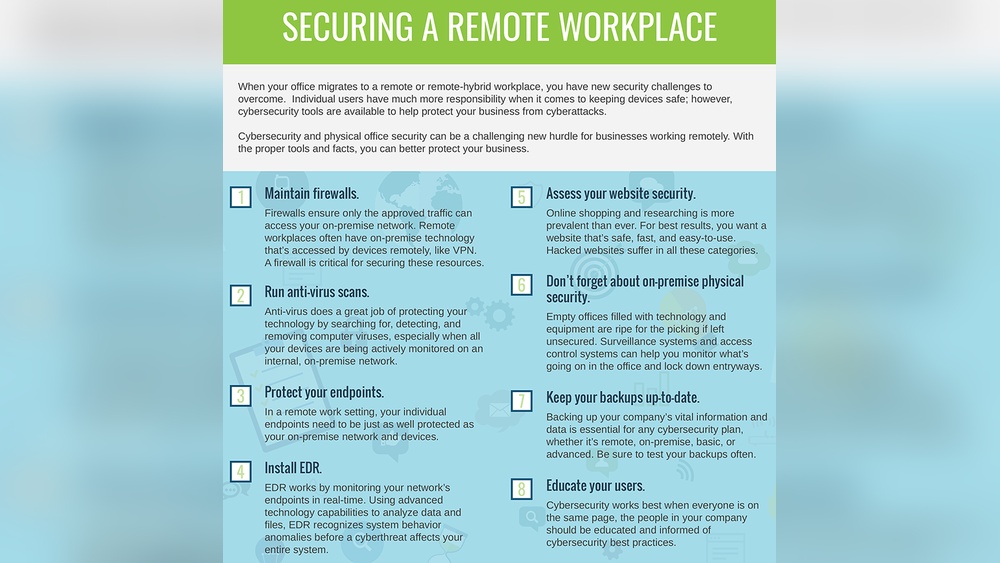
You’re working remotely, juggling tasks and deadlines from your home office. But have you thought about what would happen if your important files suddenly vanished?
Without a solid backup strategy, you risk losing hours, days, or even weeks of work. The good news? Setting up the best backup system for remote workers is simpler than you might think. You’ll discover a clear, easy-to-follow plan to protect your data against hardware failures, human mistakes, and cyber threats.
Keep reading to learn how you can secure your work, so you never have to worry about losing it again.
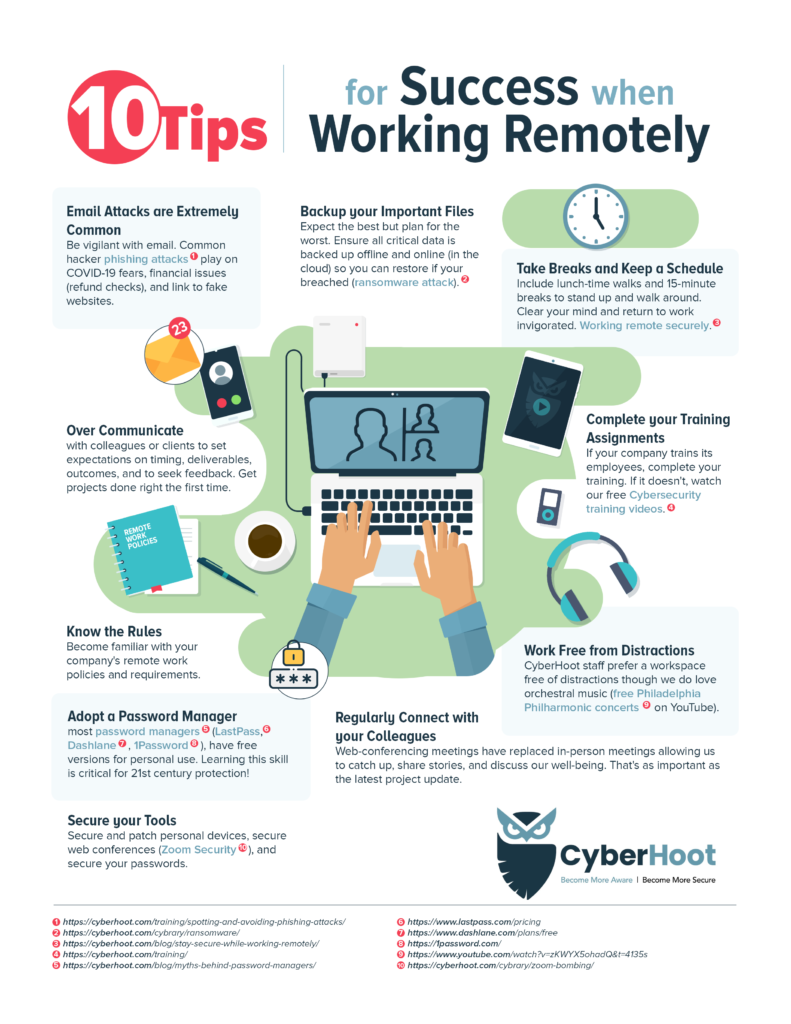
Credit: cyberhoot.com
Core Backup Principles
Core backup principles guide remote workers to protect their valuable data. These principles reduce risks from hardware failures, accidental deletions, or cyberattacks. Following these basics ensures data remains safe and recoverable. Below are essential concepts every remote worker should know.
Three Copies Rule
Keep at least three copies of your data. One is the original file on your device. Two others serve as backup copies. This rule guards against data loss if one copy fails. Having multiple copies spreads the risk and increases safety.
Diverse Storage Media
Store backups on different types of media. Use internal drives, external hard drives, or cloud storage. Different media types reduce the chance of simultaneous failure. This variety strengthens your backup system’s reliability.
Off-site Backup Importance
Keep one backup copy off-site, away from your main location. This could be cloud storage or a physical site far from your home. Off-site backups protect data during disasters like fire or theft. They ensure you can restore data even if your main device is lost.
Backup Types For Remote Work
Choosing the right backup types is crucial for remote workers. Data loss can happen anytime due to hardware failure, accidental deletion, or cyberattacks. A solid backup plan protects important files and keeps work running smoothly. Understanding different backup types helps remote workers pick the best options for their needs.
Primary Data Storage
Primary data storage is where your original files live. It can be a laptop, desktop, or company server. This storage holds the active data you use daily. Keeping it organized and secure is the first step in any backup strategy.
Local Backup Options
Local backups copy your data to nearby devices. External hard drives and Network Attached Storage (NAS) are common choices. These backups allow fast recovery without internet access. Local backups protect against device failure but can be vulnerable to theft or physical damage.
Cloud Backup Solutions
Cloud backups save data on remote servers via the internet. Services like Google Drive, Dropbox, or specialized backup platforms provide this. Cloud backups offer off-site protection and easy access from anywhere. They help recover data after disasters or theft but need a reliable internet connection.
Immutable And Air-gapped Copies
Immutable backups cannot be changed or deleted once created. Air-gapped copies are physically isolated from networks. These backups protect against ransomware and hacking. They add a strong layer of security for critical data. Keeping at least one immutable or air-gapped copy is a smart practice for remote workers.
Benefits Of Robust Backup
A robust backup system is vital for remote workers. It keeps important files safe and accessible at all times. Strong backup plans reduce stress and prevent data loss. They help maintain productivity and protect business continuity. Reliable backups give peace of mind by securing work against many risks.
Protection Against Failures
Hardware and software can fail without warning. A solid backup protects work from these failures. It ensures data stays safe even if devices break. Remote workers avoid losing hours or days of work. Backup copies stored in different places reduce risk. This protection makes working from home more secure and stable.
Faster Data Recovery
Recovering lost data quickly is crucial for remote workers. Robust backups speed up this process significantly. With multiple copies available, restoring files takes minutes. Fast recovery limits downtime and keeps deadlines on track. It helps remote workers return to normal work quickly. This efficiency supports smooth daily operations.
Defense Against Cyber Threats
Cyber attacks target remote workers often. Strong backups act as a defense line against these threats. They provide clean copies of data after an attack. This helps recover from ransomware or malware damage. Backup systems with immutable copies prevent data tampering. Remote workers stay protected and regain control easily.
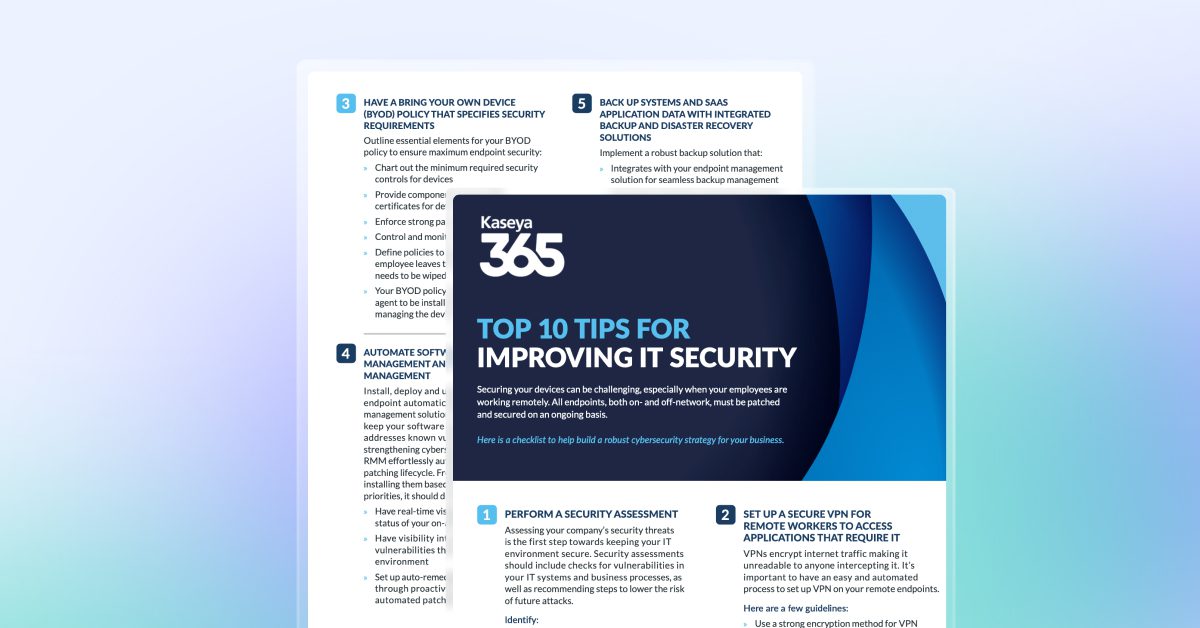
Credit: www.kaseya.com
Backup Frequency And Testing
Regular backups protect remote workers from data loss. The backup frequency impacts how much work you lose during a failure. Testing backups ensures you can restore data when needed. Both frequency and testing are key to a strong backup strategy.
Incremental Vs Differential Backups
Incremental backups save only changes since the last backup. They use less space and finish quickly. Differential backups save changes since the last full backup. They grow larger over time but restore faster. Choose based on your storage and recovery needs.
Scheduling Backup Intervals
Set backup intervals to match your work pace. Daily backups suit most remote workers. For high data change, consider multiple backups per day. Automate backups to avoid missing schedules. Consistency lowers risk of losing recent work.
Restore Testing Best Practices
Test backups regularly to confirm data can be restored. Perform full restore drills at least once a month. Check file integrity and completeness after restore. Document test results and fix issues immediately. Reliable restore tests build confidence in your backup plan.
Tools And Technologies
Choosing the right tools and technologies is crucial for backing up data effectively. Remote workers face unique challenges, such as varied internet speeds and diverse device types. Using reliable backup solutions ensures data stays safe and accessible. This section explores key options to help protect your work files.
Network Attached Storage (nas)
NAS devices store data on a local network, making backups fast and private. They act like a personal cloud but stay within your home or office. NAS offers easy file sharing and automated backups. It works well for large files and frequent access. Setting up NAS improves data security without internet dependence.
Cloud Backup Providers
Cloud backup services save data on remote servers accessed via the internet. These providers offer automatic syncing and version history to recover old files. Cloud backups protect against local hardware failures or theft. Many services encrypt data for privacy and allow access from any device. Cloud storage is flexible and scales with your needs.
Open Source Backup Software
Open source backup tools provide free, customizable options for data protection. They support various backup methods like full, incremental, or differential backups. Open source software often runs on multiple platforms and integrates with NAS or cloud storage. These tools give remote workers control over backup schedules and storage locations.
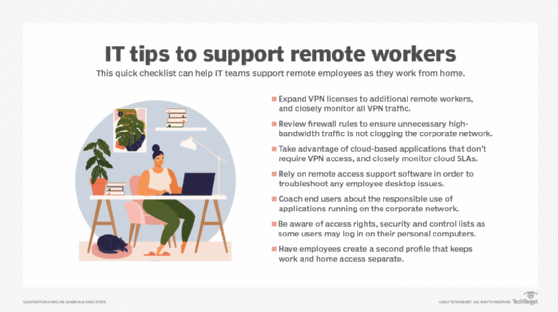
Credit: www.techtarget.com
Security Measures
Security measures form the backbone of any backup strategy for remote workers. Protecting sensitive data against unauthorized access and cyber threats keeps business operations safe. Remote work environments face unique risks that require strong security protocols.
Implementing security controls reduces data breaches and prevents costly downtime. Encryption, secure connections, and ransomware defenses ensure data stays confidential and intact. These steps help maintain trust and compliance with regulations.
Vpns For Secure Access
Virtual Private Networks (VPNs) create a safe tunnel for internet traffic. Remote workers connect through VPNs to access company resources securely. This prevents hackers from intercepting sensitive information on public or home networks.
VPNs mask the user’s IP address and encrypt data transmissions. This shields backup processes from eavesdropping and man-in-the-middle attacks. Using a reliable VPN service is essential for secure remote backups.
Data Encryption Techniques
Encryption converts data into unreadable codes without a key. Backups should use encryption both during transfer and storage. This ensures data remains protected even if intercepted or stolen.
Strong encryption algorithms like AES-256 protect backup files effectively. Encrypting data on local drives and cloud storage adds multiple layers of security. Regularly updating encryption keys also prevents unauthorized access.
Ransomware Protection Strategies
Ransomware attacks can lock or destroy backup data. Implementing ransomware protection safeguards backup integrity. Techniques include immutable backups that cannot be altered or deleted by attackers.
Regularly scanning backup files for malware and keeping software up to date reduces ransomware risk. Storing backups off-site or in the cloud limits damage during an attack. A solid ransomware strategy ensures quick data recovery without paying ransom.
Disaster Recovery Planning
Disaster recovery planning is a vital part of any backup strategy for remote workers. It prepares businesses to quickly restore data and systems after an unexpected event. These events might include hardware failure, cyberattacks, or natural disasters. A strong disaster recovery plan reduces downtime and limits data loss. It ensures remote workers can continue their tasks with minimal disruption.
Geographic Data Separation
Geographic data separation means storing backup copies in different physical locations. This protects data from regional disasters like floods, fires, or power outages. Remote workers benefit by having access to data even if one location is compromised. Using cloud storage alongside local backups spreads data risk. It is important to choose locations far apart for true separation.
Failover Systems
Failover systems automatically switch to backup resources if the main system fails. This helps remote workers maintain productivity without waiting for repairs. Failover can include backup servers, internet connections, or power supplies. Testing failover systems regularly ensures they work during emergencies. Quick failover improves business reliability and user experience.
Business Continuity Considerations
Business continuity planning focuses on keeping operations running smoothly during disruptions. It involves more than just data recovery. Remote workers need access to applications, files, and communication tools. Plans should include clear steps for employees to follow in a disaster. Training remote teams on these procedures reduces confusion and downtime.
Real-world Backup Examples
Understanding real-world backup examples helps remote workers protect their data effectively. Different setups require tailored strategies to fit team size and resources. These examples show practical ways to secure data and ensure quick recovery.
Small Team Setup
Small teams often use simple, cost-effective backup solutions. They keep a copy on the local device and another in the cloud. For example, a team of five might use Google Drive or Dropbox for cloud storage. They also use external hard drives for offline backups. This approach protects against accidental deletion and hardware failures. It is easy to manage and requires minimal IT support.
Enterprise-level Strategies
Large companies use complex backup systems to secure vast amounts of data. They combine on-site servers, network-attached storage (NAS), and cloud services. Backups happen automatically and regularly. Enterprises keep multiple backup copies in different locations. This method guards against disasters like fires or cyberattacks. They also use immutable backups to stop ransomware from altering data. IT teams monitor the backup process and test recovery often to ensure data safety.
Hybrid Backup Models
Hybrid models mix local and cloud backups for flexible protection. Remote workers save files on a local NAS device and sync to a cloud provider. This setup offers fast local recovery and off-site disaster protection. Companies use tools that back up data to both places automatically. Hybrid backups work well for teams with varied internet speeds or sensitive data. This model balances speed, cost, and security effectively.
Frequently Asked Questions
What Is The 3/2:1 Rule In Backup Strategy?
The 3/2:1 backup rule means keeping three data copies on two media types, with one copy stored off-site for disaster protection.
How Do You Organize And Back Up Data When Working Remotely?
Organize data by categorizing files and using clear folder structures. Back up data with at least three copies: local, cloud, and off-site. Test backups regularly to ensure data recovery. Use diverse storage media to protect against hardware failure, human error, or disasters.
Prioritize security with encryption and VPN access.
What Is The 4 3 2 Backup Strategy?
The 4-3-2 backup strategy stores 4 total copies: the original plus three backups on 3 different media types. Two backups stay off-site to ensure data safety from disasters and hardware failures. This method boosts resilience and quick recovery.
What Is The Rule Of 3 For Backups?
The rule of 3 for backups means keeping three data copies: the original plus two backups. Store them on two different media types. Keep one backup off-site for protection against failures, errors, or disasters. This strategy ensures data safety and quick recovery.
Conclusion
A strong backup strategy protects remote workers’ data from loss. Keep three copies: original plus two backups. Store backups on different devices and locations. Use cloud storage for off-site safety. Test your backups often to ensure they work. This simple approach guards against hardware failure and cyber threats.
Reliable backups help remote workers stay productive and secure. Don’t wait—start protecting your data today.